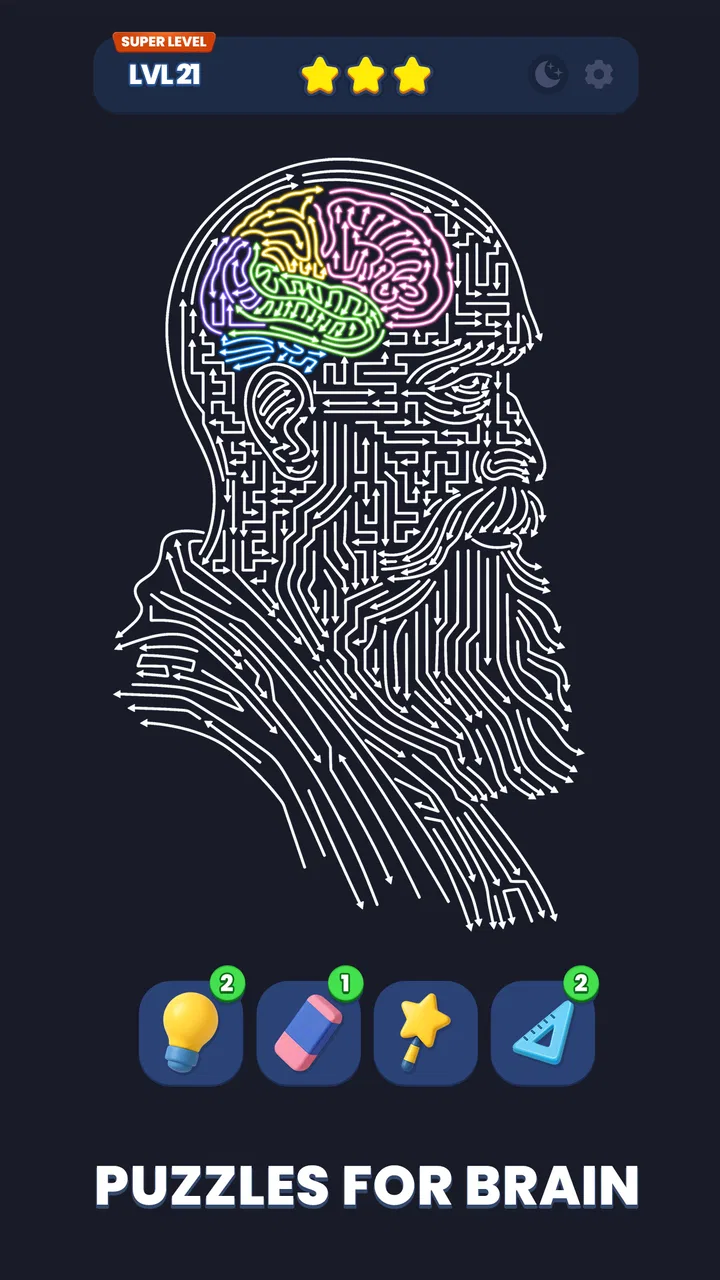
Point Out: Color Escape Puzzle
- 4.6
- Rating
- 10.00M
- Installs
- Free
- Price

 Analysis by App-foxy
I approached Arrow Out as the kind of puzzle I could play in short gaps rather than as a long-form adventure. It is a free logic game from Lion Studios Plus in which the board is cleared by tapping arrows in the right order. The central challenge is simple to understand, but the useful skill is learning to read the whole arrangement before making the first move. That makes it more thoughtful than a quick tap game, while still being easy to start.
My first impression was that the game works best when I treat each level as a small visual problem, not a reflex test. Every arrow points toward a possible exit, yet surrounding pieces can block that path. A move that looks harmless may remove the wrong piece and leave a more important arrow trapped. The satisfaction comes from spotting a safe opening, creating room, and then watching several moves become available.
The game sits firmly in the puzzle and brain-training space, but I would not describe it as a formal learning tool. Its value is in practicing visual scanning, order planning, and restraint. The store listing presents it as a maze of arrows, but in use I found the real question to be: which piece can move now without damaging the route for everything else?
You May Also Like

 Blood Strike: 2.5 Anniversary
Blood Strike’s Loadouts Turn Every Drop Into a Tactical Gamble
A close look at Blood Strike’s custom loadouts: how fast access to signature weapons reshapes its battle royale rhythm, rewards preparation, and narrows the gap between fights.

 Pandora - Music & Podcasts
Pandora’s Music Is Easy to Start, but Harder to Recover
Pandora’s strength is its low-effort path from a seed to a station. Its weak spot is how much confidence it asks you to place in connection, setup, and quiet recovery.

 8 Ball Pool
 Is Built on Rivalries, Rematches, and Routine
A close look at the rivalries, rematches, shared routines, and unanswered safety questions that turn a quick pool match into a persistent mobile community.

 Samsung Music
’s Quiet Strength Is Playing What You Already Own
Its reach comes less from spectacle than from dependable access to a personal library. That simplicity is both the app’s strongest retention engine and its ceiling.

 AccuWeather: Weather Radar
AccuWeather Review: A Quick, Clear Forecast for Everyday Decisions
For everyday plans, the best forecast is the one you can understand quickly. AccuWeather makes rain timing, radar, and local conditions easy to act on, with a few trade-offs.

 Hill Climb Racing
Why Hill Climb Racing Still Turns Crashes Into One More Run
A tiny car, a bumpy hill and one more upgrade: Hill Climb Racing keeps resurfacing because its simple chaos makes every near-miss feel personal.
More From Our News Desk



How the basic workflow feels in real play
A normal session begins with a compact board filled with directional pieces. I start by checking the edges, looking for arrows whose direction already appears open. Those are usually the safest candidates, although I avoid tapping immediately if removing one might hide the route of another piece. This small pause is important because the game rewards planning more than speed.
Once I identify a likely first move, I tap the arrow and reassess the entire board. I do not assume that the original plan remains correct. A cleared piece changes the available space, so the best next action may be on the opposite side of the puzzle. That repeated scan is the core habit I would recommend to new players: make one deliberate move, then read the new position instead of following a memorized sequence.
The controls are approachable because the interaction is built around tapping. There is no complicated movement scheme to learn, and that makes the game suitable for playing with one hand while waiting for a bus or taking a short break. The trade-off is that a mistaken tap can feel more significant than in a casual matching game. I found myself slowing down whenever several arrows were close together.
For an everyday example, I could imagine opening it during a ten-minute coffee break. I would play until reaching a board that needed more attention, put the phone down, and return later with a clearer view. That works because the individual puzzles are mentally self-contained. The game does not require a long uninterrupted story or a complicated build to remember between sessions.
New players should resist the temptation to search for the most obvious arrow first. Instead, trace where each candidate would travel and ask whether another piece occupies that line. This turns the opening into a quick inspection routine. I found that spending a few seconds on this check reduced the number of desperate taps later, especially when the board became visually crowded.
Why the first scan matters more than quick tapping
The most useful distinction is between an arrow that can move and an arrow that should move. A piece may have a visible route, but removing it can change the order needed elsewhere. I began to separate “safe exits” from “temporary openings”: the first type improves the board immediately, while the second only creates space and may need to be delayed.
Another practical habit is to follow lines rather than individual pieces. If several arrows point toward the same edge, I inspect the nearest obstruction first. This prevents me from jumping around the screen based on color, shape, or position. The game is visually simple enough that a disciplined scan is more reliable than trying to remember every arrow at once.
That method also answers an important question for beginners: do you need to plan the entire solution before starting? In my experience, no. A complete plan is often unnecessary and can even become confusing. Planning the next safe group of moves is more manageable. I usually look for a short chain, execute it, and then rebuild my understanding of the board.
Settings and the small checks worth making
Before settling into longer sessions, I would check the available in-game settings on the device and make sure the presentation is comfortable. The most useful adjustment is not a secret gameplay advantage; it is making the screen easy to inspect. Brightness, sound, and notification interruptions can affect how carefully I read a crowded board, particularly when playing in short bursts.
I would also check the current installed build before judging performance or controls. The current version is 1.1.0, and the game requires Android 6.0 or later. That makes it accessible to a wide range of Android phones, although compatibility alone does not guarantee that every older device will feel equally smooth. If a phone has a small display, I would pay extra attention to accidental taps around tightly packed arrows.
Because the game is free to download, it is easy to try without committing money at the start. It does include optional purchases ranging from $1.99 to $199.99 per item, so I would keep that in mind before handing the phone to a child. The content rating is Everyone, but an age rating does not replace sensible purchase controls. On a shared device, I would make sure accidental buying is protected by the device’s normal authentication settings.
Sound is another small but meaningful choice. If audio helps you notice successful moves, leaving it on can make the board feel more responsive. If you are using the game as a quiet concentration exercise, muting it may be better. I prefer a low-distraction setup because the important feedback is visual: which arrow disappeared and what route opened afterward.
One setting-related limitation is that comfort depends heavily on the phone rather than on strategy alone. A bright, spacious screen makes it easier to distinguish neighboring pieces. On a compact display, I would hold the phone steadily and tap the center of an arrow rather than its edge. That is a simple adjustment, but it matters when a puzzle requires a precise sequence.
Repeatable habits that make solutions faster
After playing several boards, I found that speed comes from reducing unnecessary thought, not from tapping faster. My repeatable routine is to inspect the outside first, identify arrows with unobstructed paths, then check the central cluster for pieces that are being held in place by something else. This gives me a starting point without forcing a full solution immediately.
A second useful pattern is to look for dependency chains. If arrow A blocks arrow B, and B blocks arrow C, I treat A as the key piece even if C looks easier to remove. This way of thinking is more dependable than choosing whichever arrow is closest to an edge. It also helps explain why a board can appear almost solved while still having one stubborn obstruction.
I also avoid making speculative moves simply to see what happens. In some puzzle games, experimentation is cheap. Here, a careless tap can disrupt the order I was building. When I am uncertain, I compare two possible openings visually and choose the one that preserves more routes. That is a small but effective form of risk management.
One non-obvious advantage of the arrow layout is that it gives me a natural way to divide the board into zones. I can inspect the top, bottom, left, and right edges before considering the middle. When one zone is cleared, I stop treating it as part of the problem and focus on the remaining interactions. This reduces visual overload and makes difficult boards feel more manageable.
Another useful habit is to pause after a cluster clears. The newly opened space can reveal a route that was invisible before, and immediately tapping again may cause me to miss it. I use that pause as a reset: scan the board, identify newly exposed arrows, and only then continue. It takes almost no extra time and prevents rushed errors.
For players who want a faster rhythm, I recommend practicing recognition rather than memorizing patterns. The same-looking arrangement can demand a different order if one arrow points in another direction. Memorization is therefore less useful than learning to identify exposed paths and dependencies. That is where the game’s logic remains interesting instead of becoming a mechanical routine.
Where the puzzle becomes demanding
The difficulty is not only about the number of arrows on screen. It also comes from how many possible moves appear reasonable at the same time. When several pieces have partial routes, I have to decide which one preserves the most options. This is the point where casual tapping stops working and the game starts feeling like a genuine planning exercise.
There is a clear limit to the game’s appeal for people who want constant novelty in the form of different genres or elaborate objectives. Arrow Out stays focused on its central clearing mechanic. That focus is a strength when I want a clean logic challenge, but it may feel narrow if I am looking for narrative progression, character collection, competitive play, or a large variety of puzzle rules.
I would also not choose it as my first option for a player who dislikes restarting a mental plan after a mistake. The simple controls make the game easy to operate, yet the consequences of an incorrect order can be frustrating. Someone who prefers forgiving experimentation may enjoy a match-three game more, while someone who likes spatial planning will probably appreciate the stricter structure here.
Compared with traditional crossword or word puzzles, this game asks less of vocabulary and more of spatial reasoning. Compared with match-three games, it offers less randomness and more deliberate sequencing. Compared with classic sliding-block puzzles, the arrow directions make the objective immediately readable, but the available order can still become surprisingly intricate. I prefer it when I want a compact visual challenge rather than a long written puzzle.
The free model is another consideration. Since optional purchases can reach a high price for an individual item, I would approach the game as a free trial first and decide later whether anything extra is worthwhile. I would not recommend purchasing simply because a difficult board feels annoying. The better response is usually to slow down, rescan the dependencies, and try a different opening.
Performance and comfort can also shape the experience. The minimum Android requirement is modest, but a device with a small or less responsive screen may make close taps less pleasant. If you regularly play in bright sunlight, glare could make the arrows harder to inspect. Those are not flaws in the puzzle design, but they are real reasons to test the game on your own phone before making it a daily habit.
Who will enjoy it, and who should skip it
I think Arrow Out is a good fit for players who enjoy short logic problems, visual order, and the feeling of finding a clean solution without needing a tutorial-heavy system. It is especially suitable for people who like to improve through habits: scanning edges, tracking dependencies, and pausing after each meaningful change. The Everyone rating also makes its basic presentation broadly approachable.
It is less suitable for someone seeking a calm game with no pressure from mistakes, or for anyone who wants a deep campaign with many unrelated mechanics. If your favorite puzzle games depend on wordplay, story, or elaborate physics, this may feel too focused. I would also skip it if you are uncomfortable with optional purchase systems and do not want to manage them on a shared device.
The game’s popularity suggests that the format has found a substantial audience: it has passed one million installs, carries a 4.6 average from around forty-two thousand ratings, and has 689 written reviews. Those figures do not replace personal testing, but they do match my impression that the basic concept is easy to understand and broadly appealing.
My verdict after building a consistent approach
What I like most is the clarity of the loop. I see the board, identify a route, make a move, and learn from the new arrangement. There is no need to manage a complicated inventory or remember a large ruleset. The challenge grows from the relationship between arrows, which gives even a short session a satisfying sense of purpose.
The best way to enjoy it is to make the workflow deliberate. Check the edges, trace blocked routes, choose a move that preserves options, and rescan after every cleared group. These habits are more valuable than chasing speed. Once they become automatic, I spend less time tapping randomly and more time understanding why a solution works.
I would recommend Arrow Out to a friend who wants a free, accessible logic game for short sessions and enjoys spatial planning more than fast reactions. I would explain that the controls are simple but the later decisions can be unforgiving, and that optional purchases deserve attention on shared devices. The game is at its best when I treat each board as a small problem to solve carefully rather than as a screen to clear as quickly as possible.
My final view is positive but specific: this is not an all-purpose puzzle collection, and it does not need to be. Its strength is the focused arrow-clearing idea, supported by a workflow that rewards patience, route reading, and repeatable decision-making. If that kind of compact visual logic sounds appealing, it is worth trying. If you need story, variety, or completely consequence-free experimentation, a different puzzle style will probably suit you better.
FAQs for Point Out: Color Escape Puzzle
01What is Arrow Out and what can I expect from the gameplay?
Arrow Out is a strategic puzzle game that challenges players to guide arrows through complex mazes. You'll need to use logic and planning to navigate through increasingly difficult levels. The game offers a variety of challenges that require careful thinking, making it both engaging and rewarding for puzzle enthusiasts.
02Is Arrow Out free to download and play?
Arrow Out is free to download and play, offering a wide range of levels and puzzles at no cost. However, the game includes optional in-app purchases that can enhance your gameplay experience, such as hints or additional levels. These purchases are not necessary to enjoy the full scope of the game.
03What are the system requirements for Arrow Out on Android and iOS?
Arrow Out is designed to run smoothly on most modern Android and iOS devices. For Android, you'll need a device running version 5.0 (Lollipop) or higher. For iOS, the game requires iOS 10.0 or later. Ensure you have adequate storage space and an internet connection for updates and in-app purchases.
04Are there any social features in Arrow Out?
Yes, Arrow Out includes social features that allow you to connect with friends. You can compete on leaderboards, share achievements, and challenge friends to beat your scores. This adds a competitive edge to the game, making it more interactive and enjoyable for those who like to play with others.
05How often is Arrow Out updated with new levels or features?
The developers of Arrow Out regularly update the game with new levels and features to keep the experience fresh and engaging. Updates often include bug fixes, new challenges, and seasonal events. It's recommended to keep the app updated to enjoy the latest content and improvements.
Pros
- Intuitive user interface for easy navigation.
- Engaging gameplay with challenging levels.
- Regular updates with new features.
- Multiplayer mode enhances social interaction.
- Minimal ads for an uninterrupted experience.
Cons
- Requires constant internet connection.
- Limited customization options available.
- In-app purchases can be costly.
- Battery consumption is relatively high.
- Occasional lag on older devices.

Point Out: Color Escape Puzzle
Gallery